WooCommerce product recommendations and cart cross-sells
By Mariusz Szatkowski · Updated: 2026-09-11
Product recommendations are quiet merchandising. They do not interrupt the shopper, they sit where the shopper is already deciding: on the product page, in the cart, or near checkout. A good recommendation answers a simple question: “what else belongs with this?”
WooCommerce already has manual upsells and cross-sells. They work, but they are only as good as the time you spend maintaining them. In a small catalogue that is manageable. In a larger catalogue, manual relationships go stale quickly. Products change category, stock disappears, new items arrive, and old cross-sells keep pointing at yesterday’s offer.
Warning: In a larger catalogue, manual upsells and cross-sells go stale quickly. They are only as good as the time you spend maintaining them, so old relationships keep pointing at yesterday’s offer.
Where recommendations should appear
The two safest placements are the product page and the cart.
On the product page, the shopper has intent but may not know the full range. A “You may also like” block can surface similar products from the same category without pulling the shopper away from the main product.
In the cart, the shopper has already chosen something. Recommendations should be restrained: a few relevant products, not a wall of distractions. The cart is the right place for complementary products, small add-ons and last-minute cross-sells.
What makes a recommendation useful
Useful recommendations are:
- Relevant, based on product category, product tags, cart contents, product type, best sellers or recently viewed products.
- Available, ideally in stock and purchasable.
- Lightweight, rendered without slowing the main buying path.
- Limited, enough choice to help, not enough to overwhelm.
- Clear, with a heading that explains why the products are shown.
The simple version that works is often category-based recommendations ordered by popularity. It is not a machine-learning system, but it is understandable, cheap to run and good enough for many stores.
How Pair handles it
Pair for WooCommerce adds automatic recommendations without a recommendation service. On a product page or in the cart, each block can use one of five strategies: same category, shared product tags, best sellers, newest products or recently viewed products.
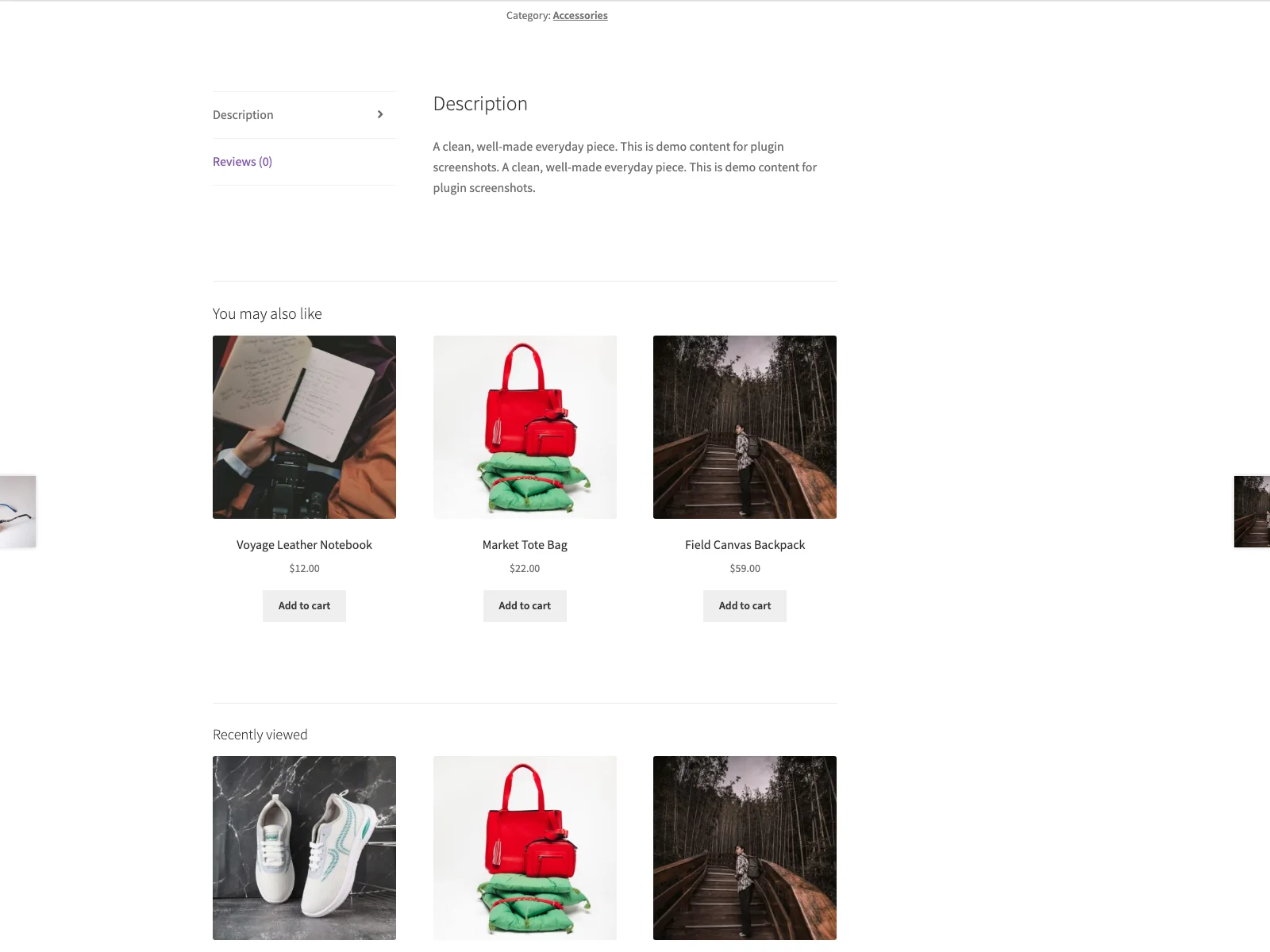 Pair renders related products as native WooCommerce cards, with no slider and no frontend JavaScript.
If there are not enough matches, Pair fills the block with recent products. That means the section does not collapse into an empty area on small catalogues. Shortcodes are available for manual placement when a theme or landing page needs its own product recommendation block.
The frontend is deliberately boring: no custom JavaScript, no slider dependency, no tracking service. Pair renders WooCommerce product cards through the active theme, so the block looks like the rest of the catalogue.
Setup checklist
- Install WooCommerce and Pair.
- Open WooCommerce > Pair recommendations.
- Enable the product-page block, cart block, or both.
- Choose the strategy for each block.
- Set the number of products and columns.
- Keep the in-stock-only filter on for most stores.
- Review one product page and one cart with real products.
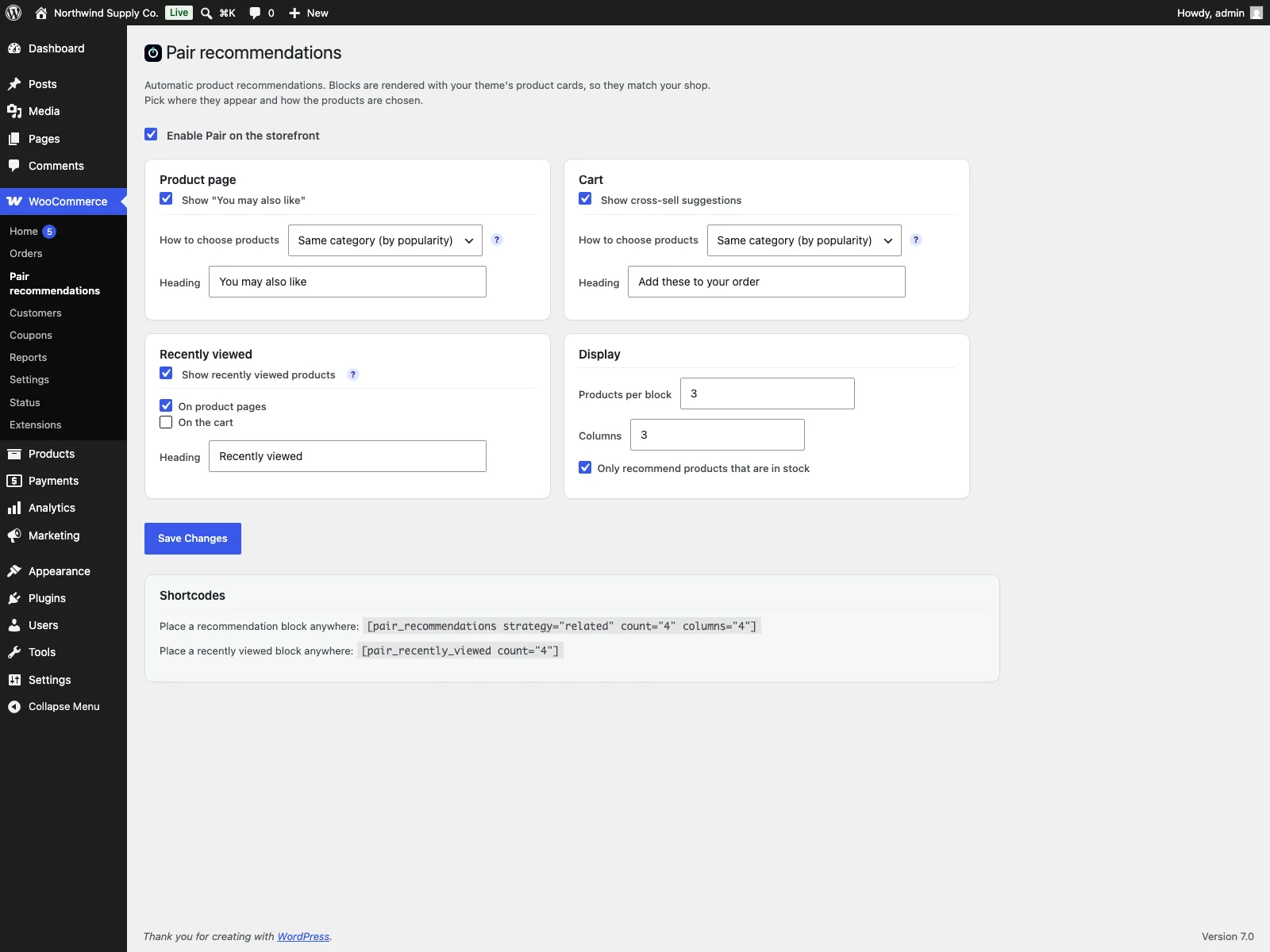 Choose a strategy, the product count and the number of columns for each recommendation block.
Product recommendations versus bundles
Recommendations are suggestions. A bundle is an offer that adds several products together. Use recommendations when you want shoppers to discover alternatives or complements. Use bundles when you want to sell a defined set with one button and optionally a discount.
Both can exist in the same store, but they should not fight for attention. Keep the recommendation block short when a bundle is also present.
The short version
Automatic product recommendations are worth adding when they stay relevant, light and easy to ignore. Pair covers the simple version: related products on product pages, cart cross-sells, category and tag matching, best sellers, newest products, recently viewed products, recent-product fallback and no frontend JavaScript.