Migrator
Migrator backs up your database and wp-content into a single archive you can restore on the same site or import on a new host. URL and path rewriting is serialization-safe.
- Plugin home: https://plogins.com/plogins-migrator/
- Author: WPPoland.com
- WordPress.org contributor: motylanogha
What ships today
Section titled “What ships today”- One-click backup from Migrator in the admin menu
- Presets: Full site, Database only or Media only set the right exclusions in one click
- Fine-grained exclusions: skip tables, rows, themes, plugins, cache, or specific files and folders
- File-size explorer: scan
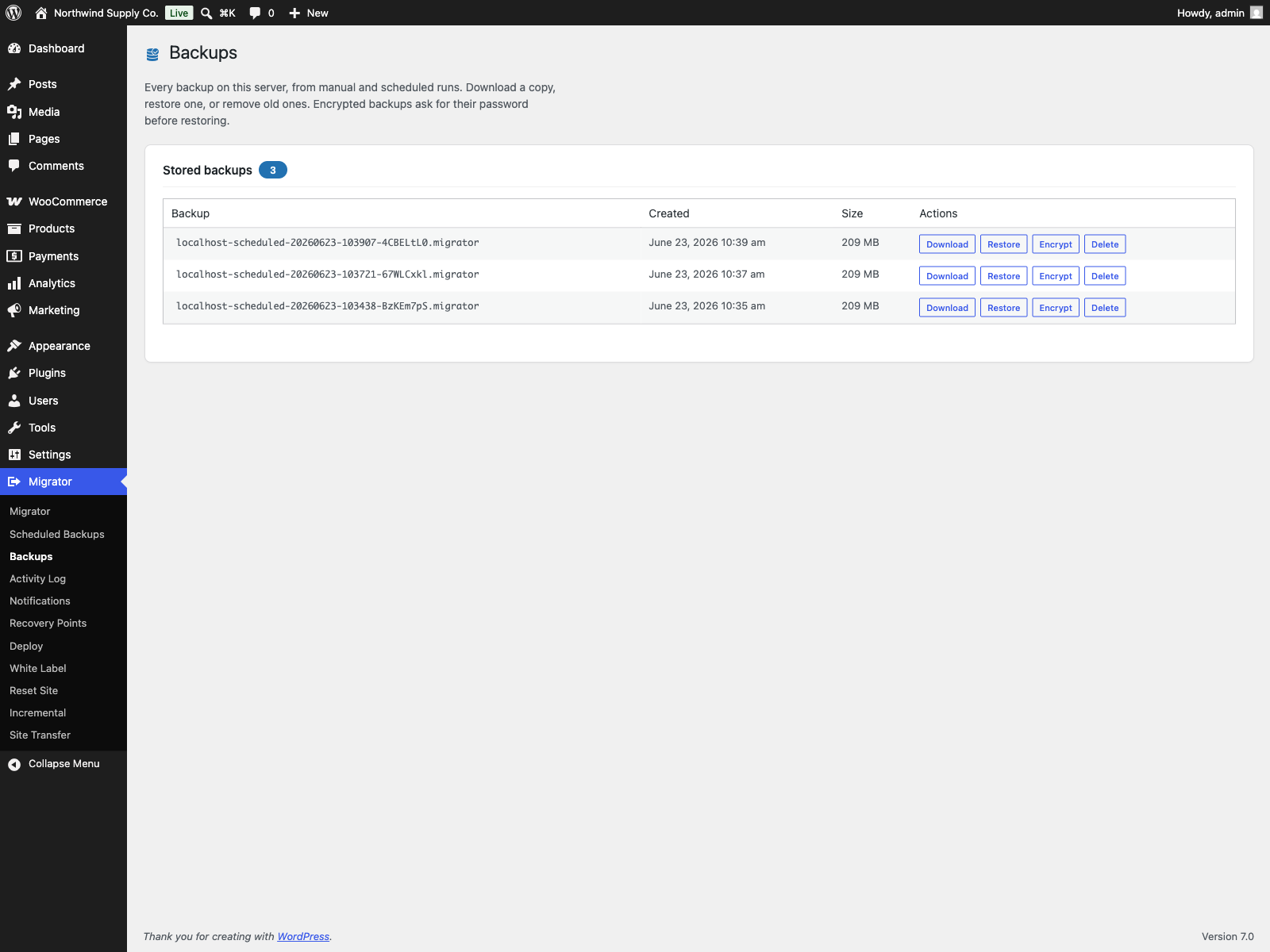
wp-content, see each folder’s size and file count, and tick what to leave out - Your backups: list every backup stored on the site and download, restore or delete it in one click
- Standard .tar.gz download: download any stored backup as a universal
.tar.gzarchive containingdatabase.sql, the manifest, andwp-content. It opens with tar, 7-Zip, or desktop archive tools without needing Migrator - Selective restore: choose exactly what a restore brings back (database, plugins, themes, uploads, or other
wp-contentfiles) for an uploaded archive or a stored backup. A files-only restore leaves the database untouched. On a site that setsDISALLOW_FILE_MODS, a restore from wp-admin brings back only the database and uploads; plugins, themes and other code files need WP-CLI (since 1.11.0). Also available via WP-CLI:wp migrator import <file> --only=plugins,themes - Inspect a backup before restoring: see its source URL, WordPress and PHP versions and table count, with pre-restore checks for table prefix, disk space and writability
- Search & replace: change a domain, URL or path across the database, safe for serialized data, with a dry-run preview
- Restore and migrate with automatic URL/path rewriting
- Rollback if a restore fails: the database is snapshotted just before an import and put back automatically if the database import or the URL rewrite fails. If a later step fails, such as extracting files, the site is left partly restored and the message gives the path of the snapshot to restore by hand. The snapshot is kept until the whole restore is through
- Flexible schedules & pre-update backups: run backups every 2, 4 or 12 hours, alongside daily and weekly intervals. Separate database-only schedule, automatic backup before plugin, theme and WordPress core updates, failure alert emails, and retention rules that prune older scheduled copies
- Roll back a plugin: “Roll back” under a WordPress.org plugin on the Plugins screen reinstalls the earlier release you pick, after a full backup of the site. If the backup fails, nothing is changed
- Off-site copies: each scheduled backup copied to an FTP or FTPS server or to a local or mounted folder
- Resumable in-browser export with authenticated download
- WP-CLI
wp migrator export,wp migrator importandwp migrator replace - Pull and push between live sites: copy a site to another server over HTTP with
wp migrator pull, resume it, fetch only the changes later, and send file changes back withwp migrator push. WP-CLI only, off until you switch it on. See Pull and push between live sites
Screenshots
Section titled “Screenshots”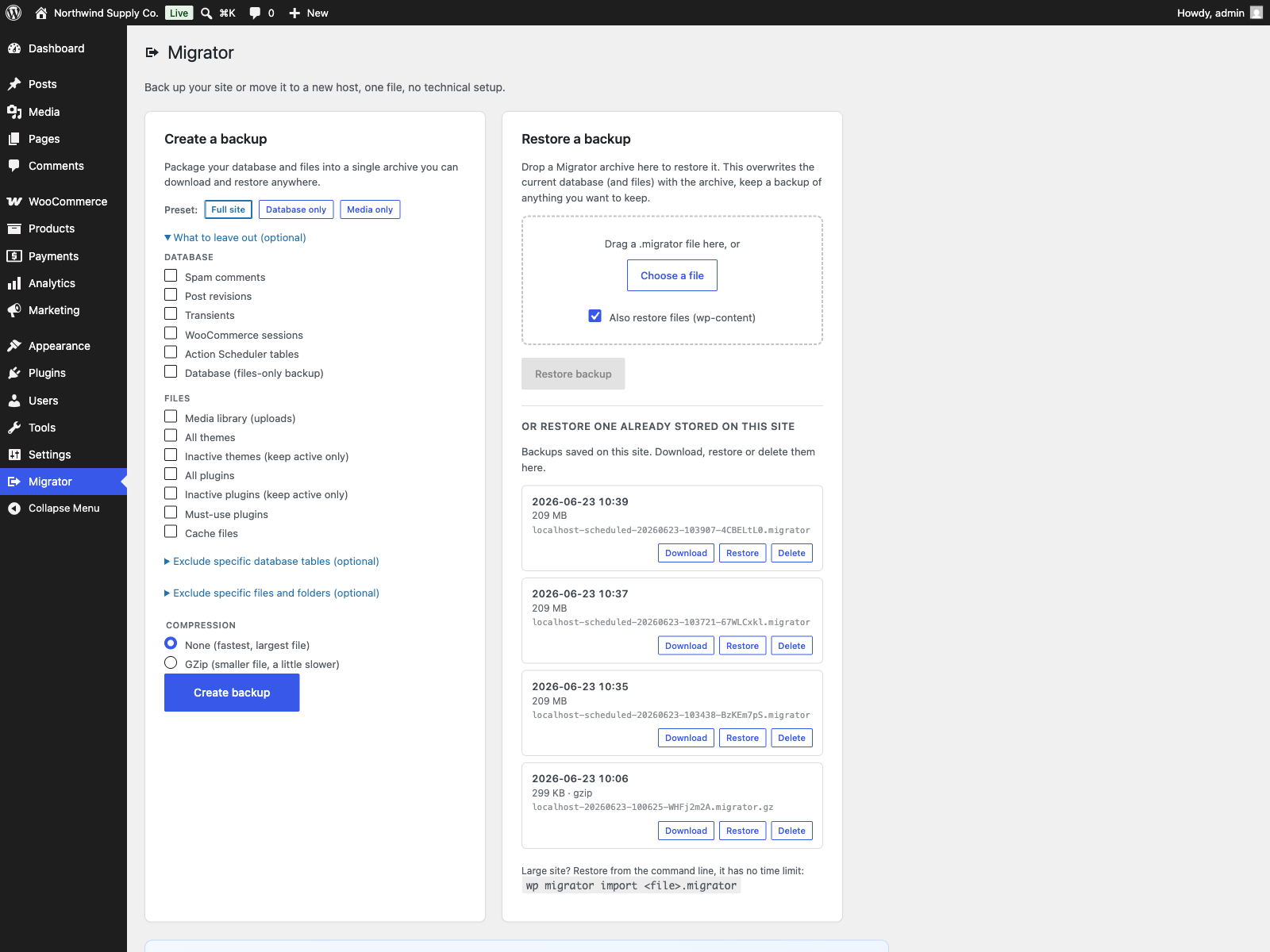

Migrator Pro
Section titled “Migrator Pro”Migrator Pro is the premium edition for Migrator. It requires the free Migrator plugin installed and active; it is distributed through Freemius, not the WordPress.org directory.
Migrator Pro extends the free Migrator plugin. The free edition covers single-file backup, restore and migration with no size limit, plus scheduled backups (every 2, 4 or 12 hours, daily or weekly) copied to FTP/FTPS or a folder, and pull and push between servers over WP-CLI; PRO adds incremental backups, multisite, cloud storage, a server-to-server transfer run from wp-admin, and encryption.
PRO features
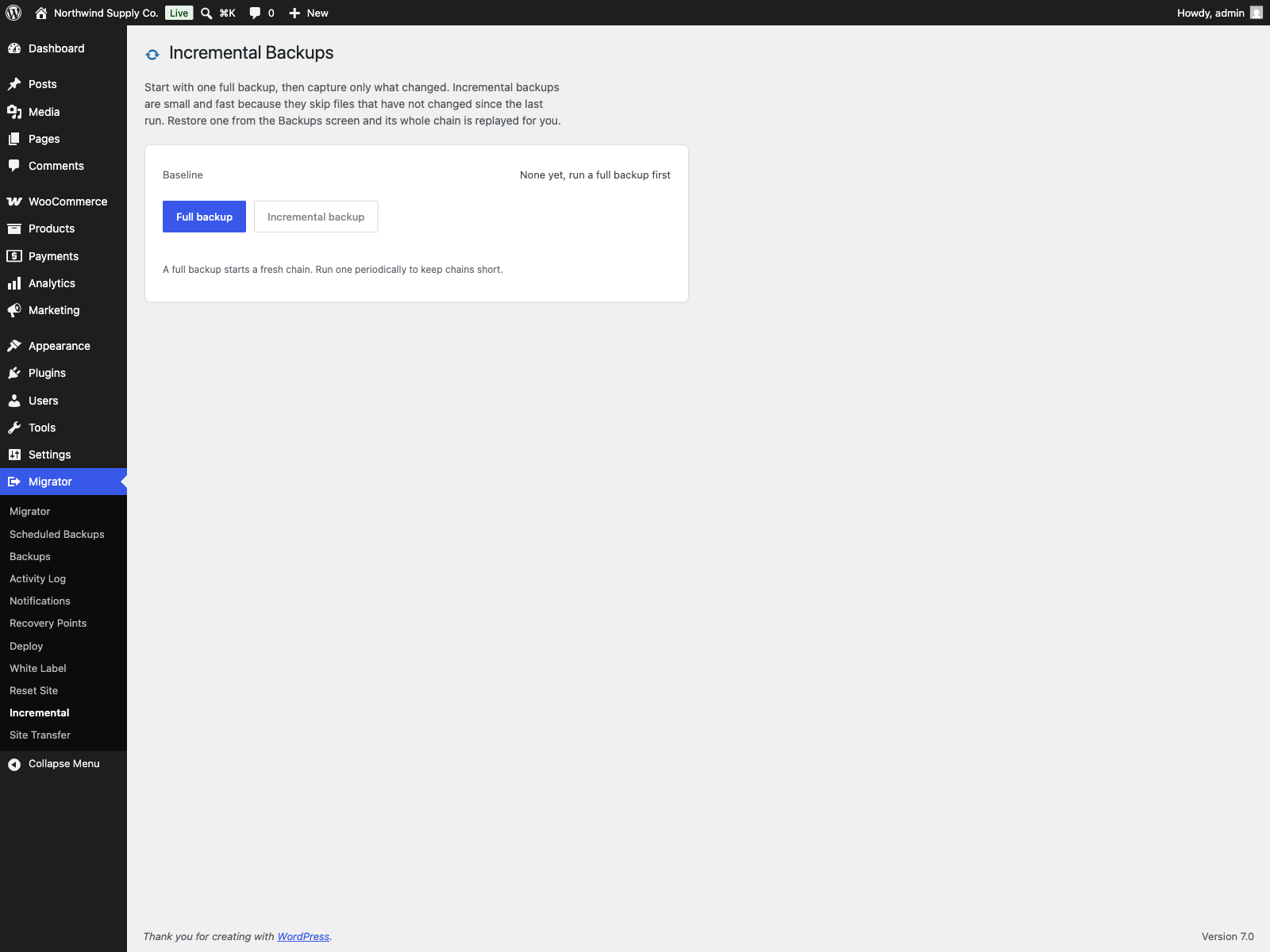
Section titled “PRO features”- Incremental mode for the free edition’s scheduled backups: only changed files are stored (every archive still carries the full database)
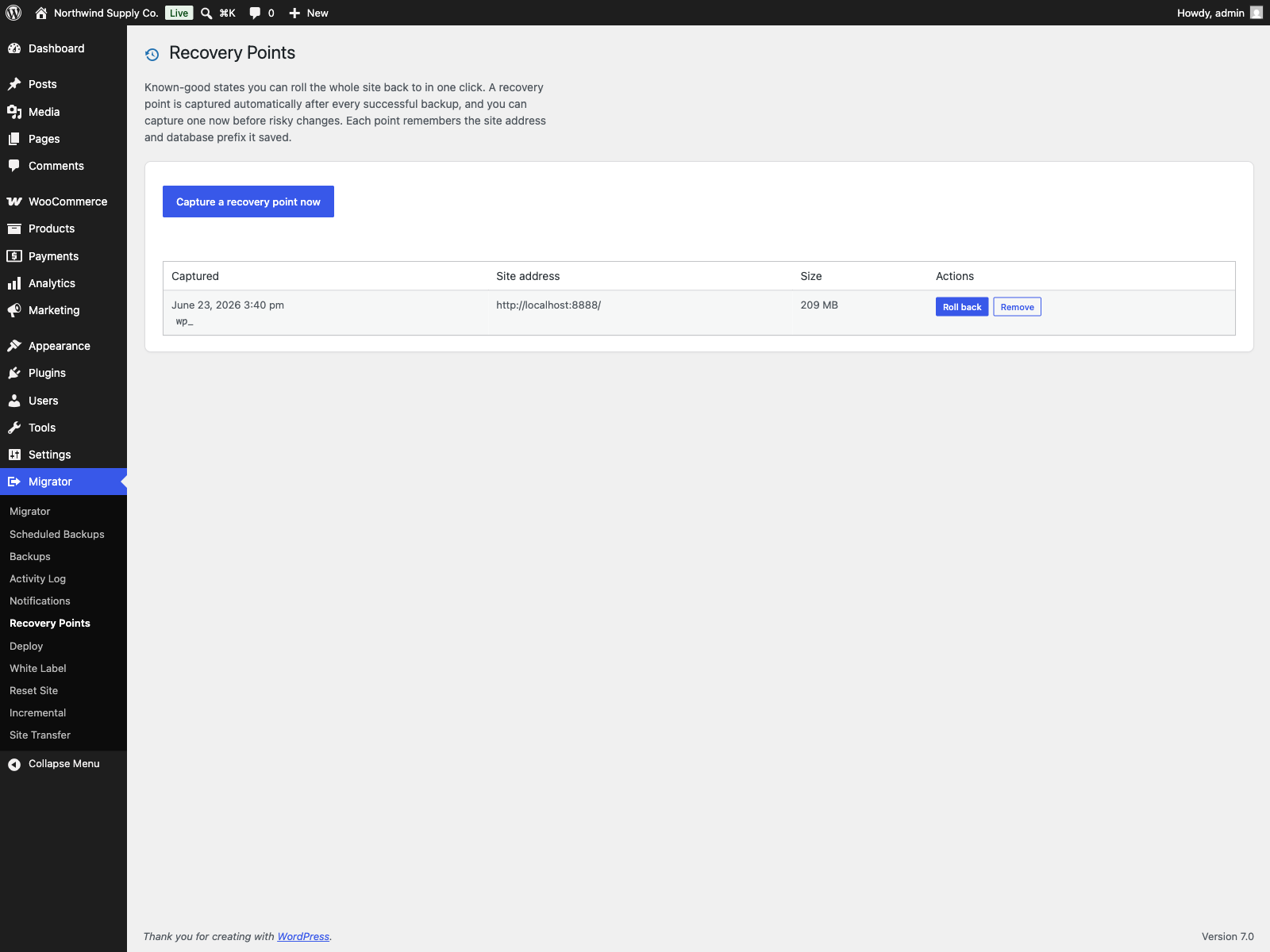
- Recovery points: one-click rollback to a known-good backup, captured automatically after every successful backup or on demand; each remembers the site address and database prefix it saved. On a site that sets
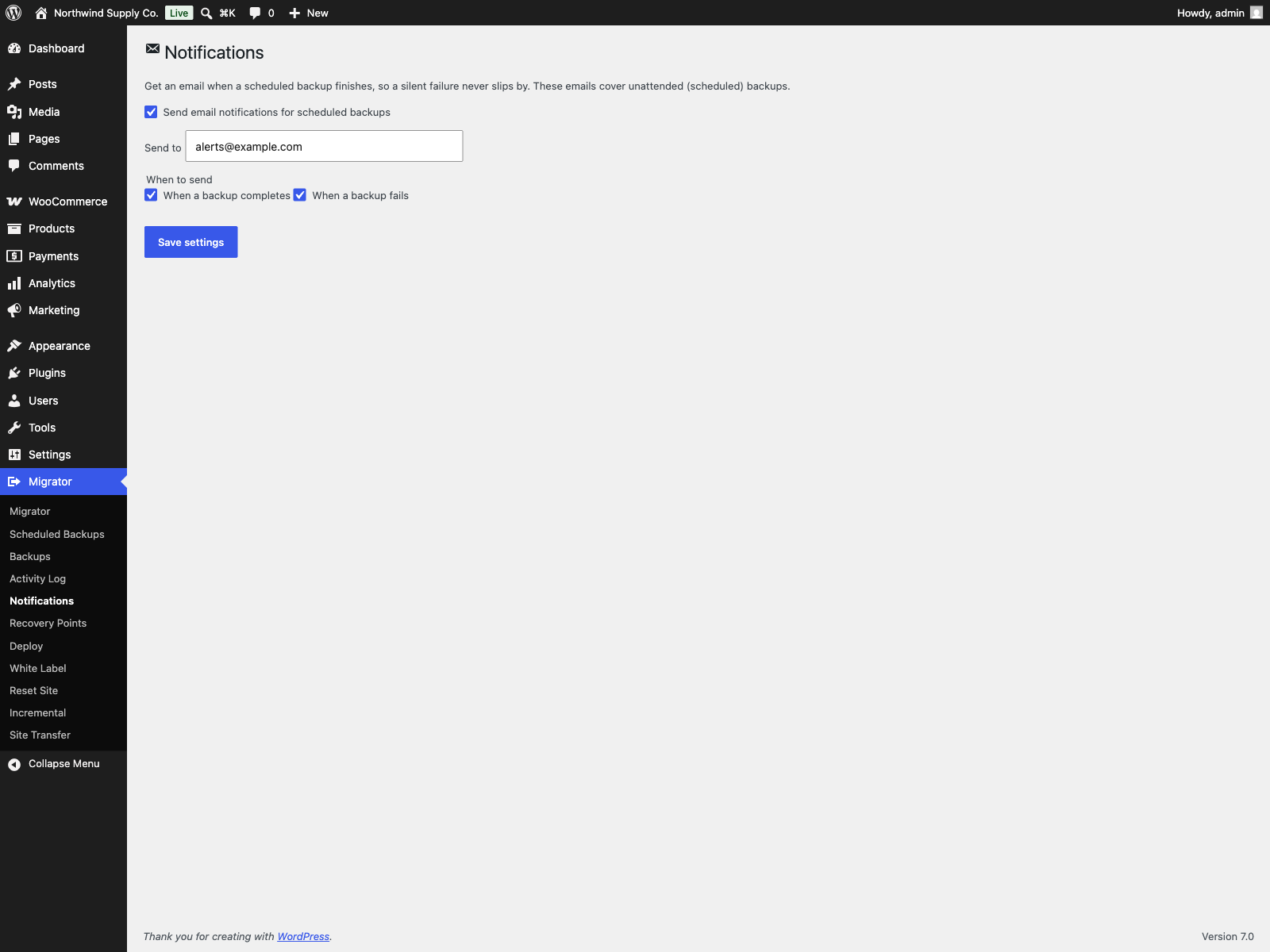
DISALLOW_FILE_MODS, a rollback from wp-admin restores the database and uploads only; roll code files back with WP-CLI (since PRO 1.2.16) - Email notifications: get an email when a scheduled backup completes or fails
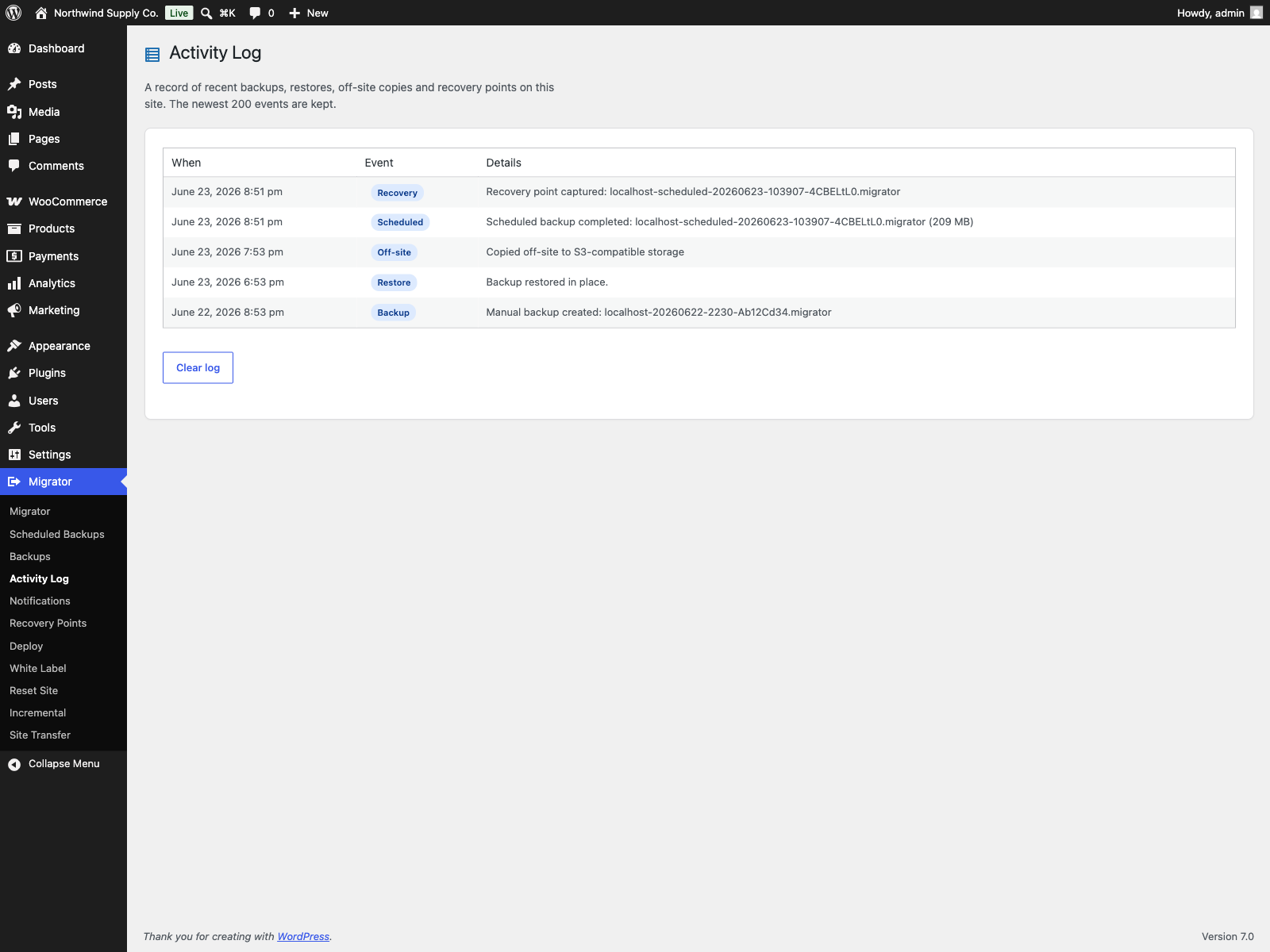
- Activity log: a newest-first record of backups, restores, off-site copies and recovery points
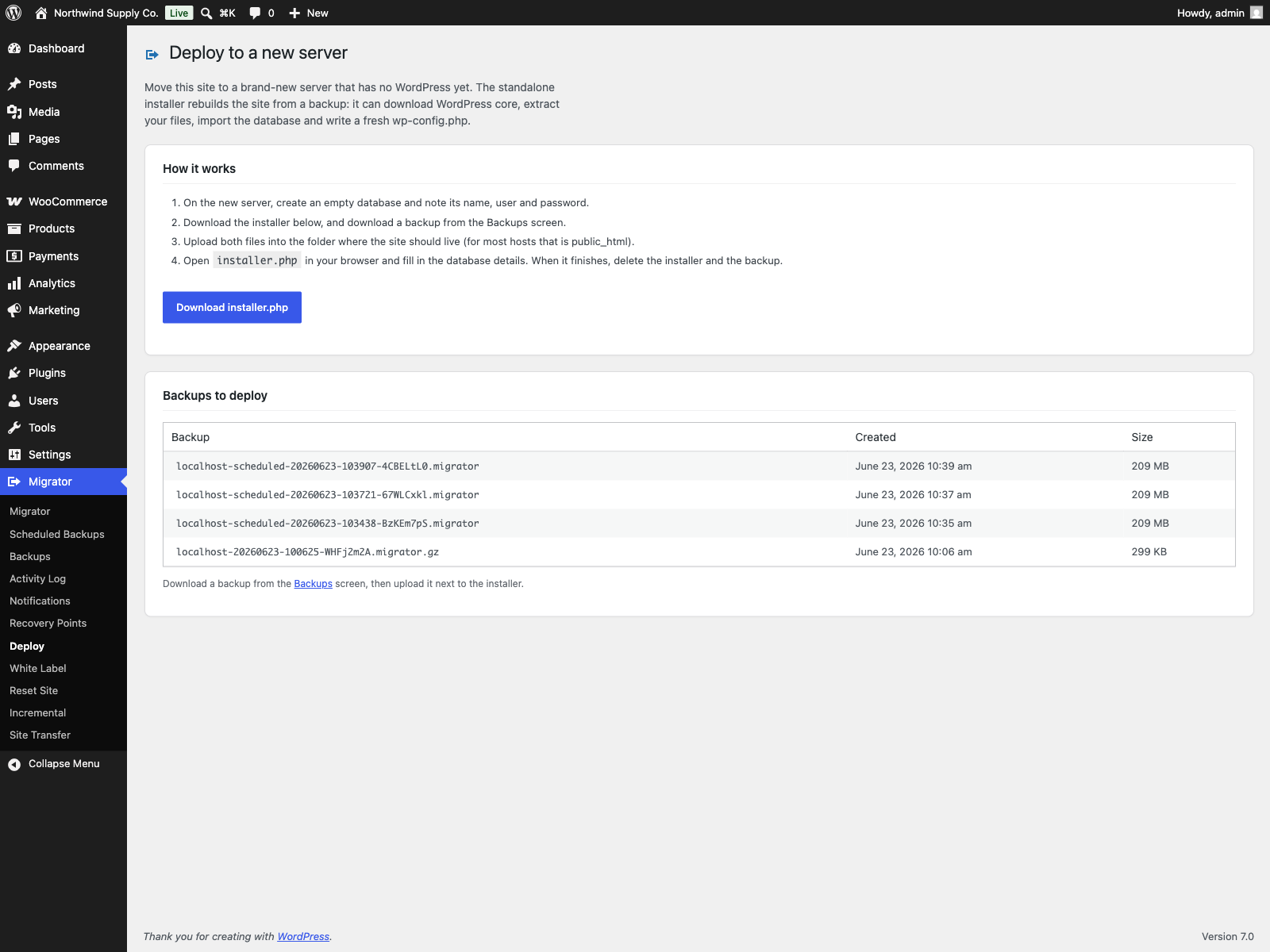
- Deploy to a new server: a standalone installer rebuilds the site from a backup on an empty server with no WordPress (downloads core, extracts files, imports the database, rewrites URLs/paths, writes wp-config.php). It can also fetch the backup itself from a link, including a presigned Amazon S3, Cloudflare R2 or Dropbox URL, so a large archive never has to pass through your computer
- Table sync: import chosen database tables from a backup into this live site and leave the rest of the database alone. Tables are listed with their row counts, users, comments and WooCommerce orders are offered but never pre-ticked, a preview counts what would change without writing anything, and the chosen tables are dumped first so a failed sync puts them back as they were
- Multisite, network to network: back up and migrate a whole network from the admin. Restoring across the single-site and network boundary is refused, and pulling one subsite out of a network is a WP-CLI job
- Off-site destinations on top of the free edition’s FTP/FTPS and folder copies: S3-compatible storage with one-click presets (Amazon S3, Cloudflare R2, Backblaze B2, Wasabi, DigitalOcean Spaces), SFTP, WebDAV (Nextcloud, ownCloud), Dropbox and Google Drive
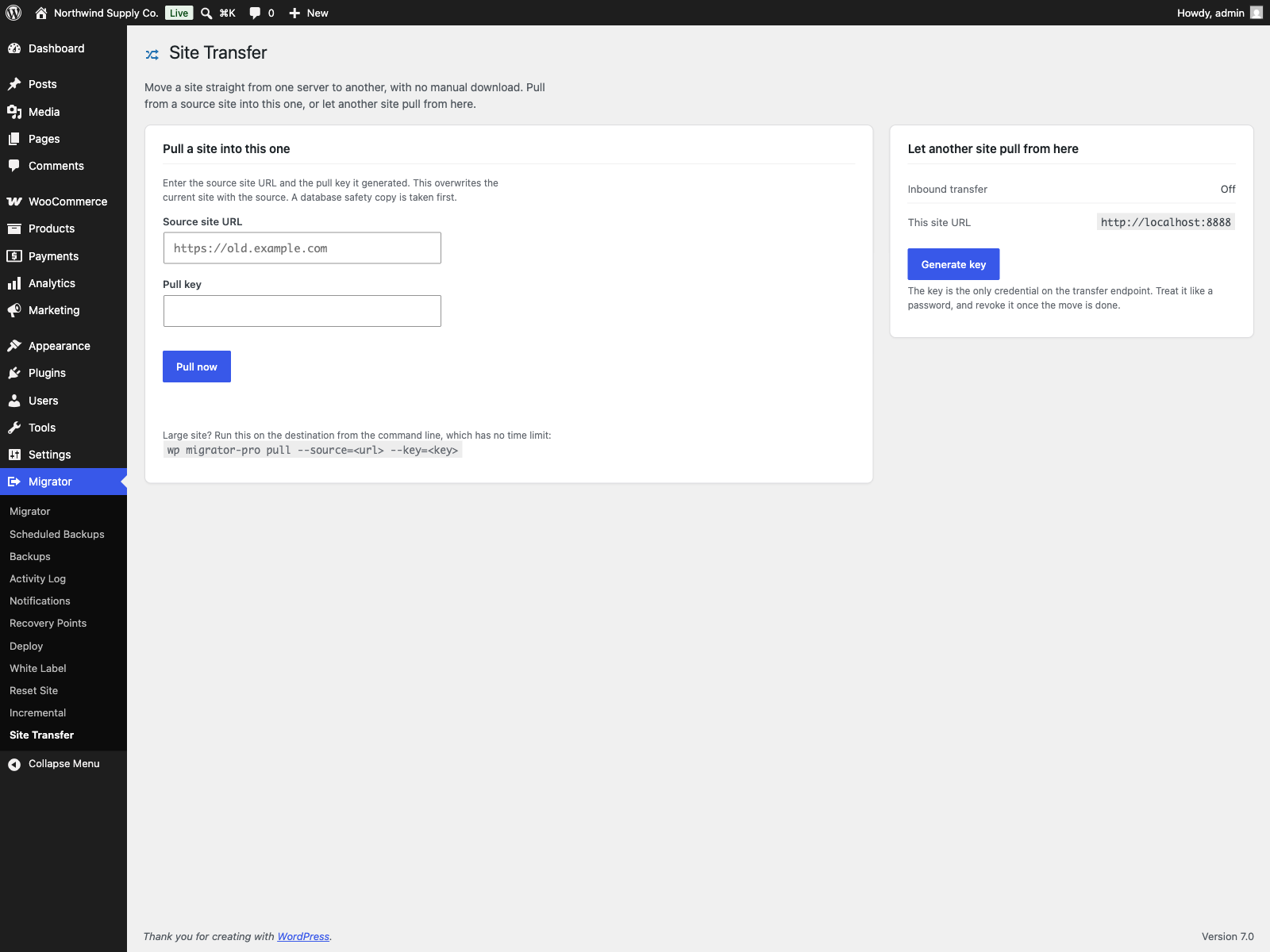
- Server-to-server transfer from wp-admin: the Site Transfer screen pulls a site from another server with a key generated on the source, and
wp migrator-pro pulldoes the same for large sites. The free edition moves a site between servers over WP-CLI withwp migrator pull - Encrypted backups
PRO screenshots
Section titled “PRO screenshots”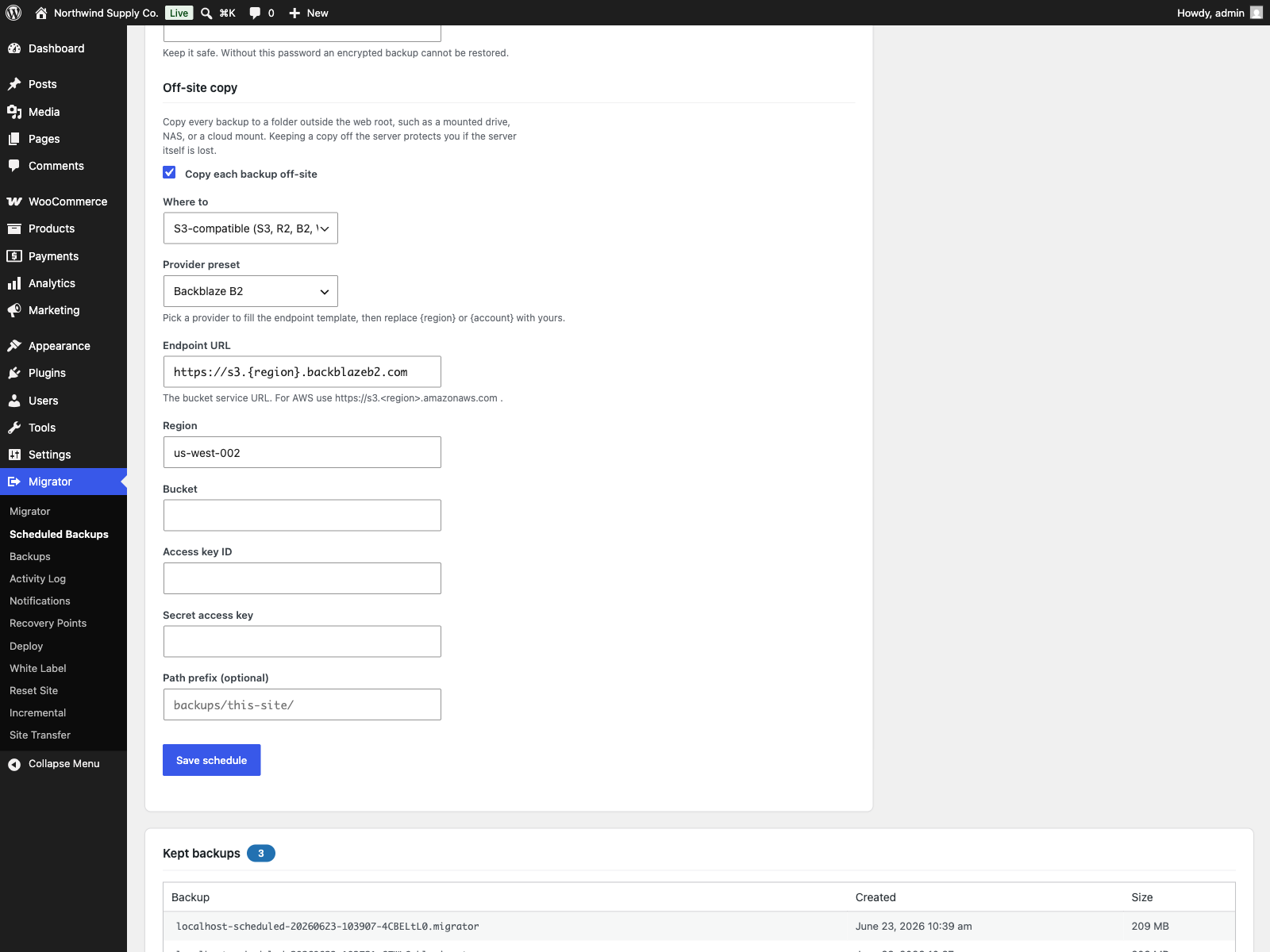
Free and PRO
Migrator Pro is a separate paid plugin that extends Migrator. The free edition is not a trial and its features stay available without a time limit.
| Feature | Free | PRO |
|---|---|---|
| Single-file backup | Yes | Yes |
| In-place restore | Yes | Yes |
| Move to a new host | Yes | Yes |
| Exclusions | Yes | Yes |
| Size explorer | Yes | Yes |
| Incremental backups | - | Yes |
| Recovery points | - | Yes |
| Email notifications | - | Yes |
| Activity log | - | Yes |
| Cloud destinations | - | Yes |
| Server-to-server transfer from wp-admin | - | Yes |
| Encrypted backups | - | Yes |
| Multisite, network to network | - | Yes |
| Deploy to a new server | - | Yes |
| Table sync | - | Yes |
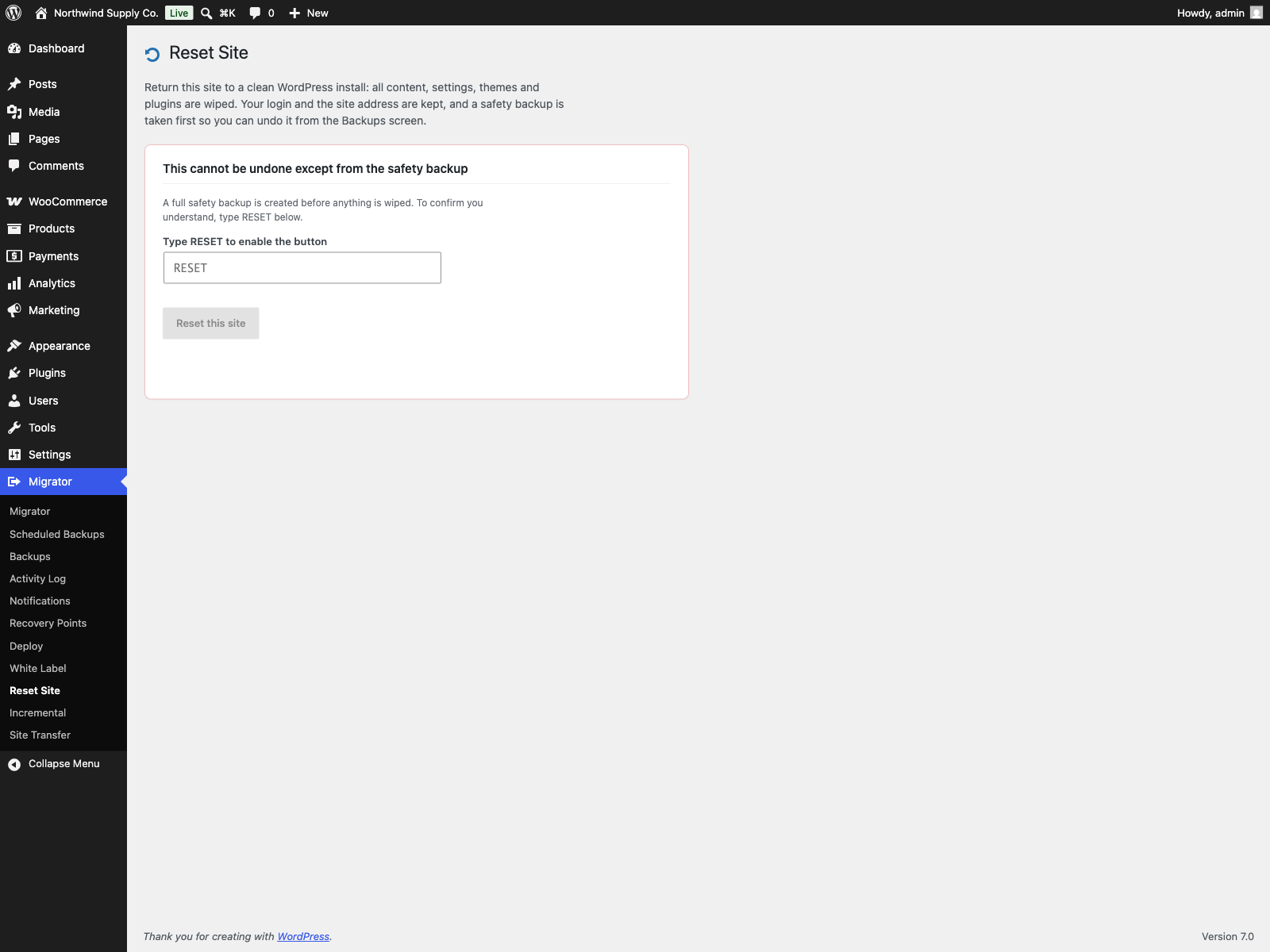
| Reset a site to a clean install | - | Yes |
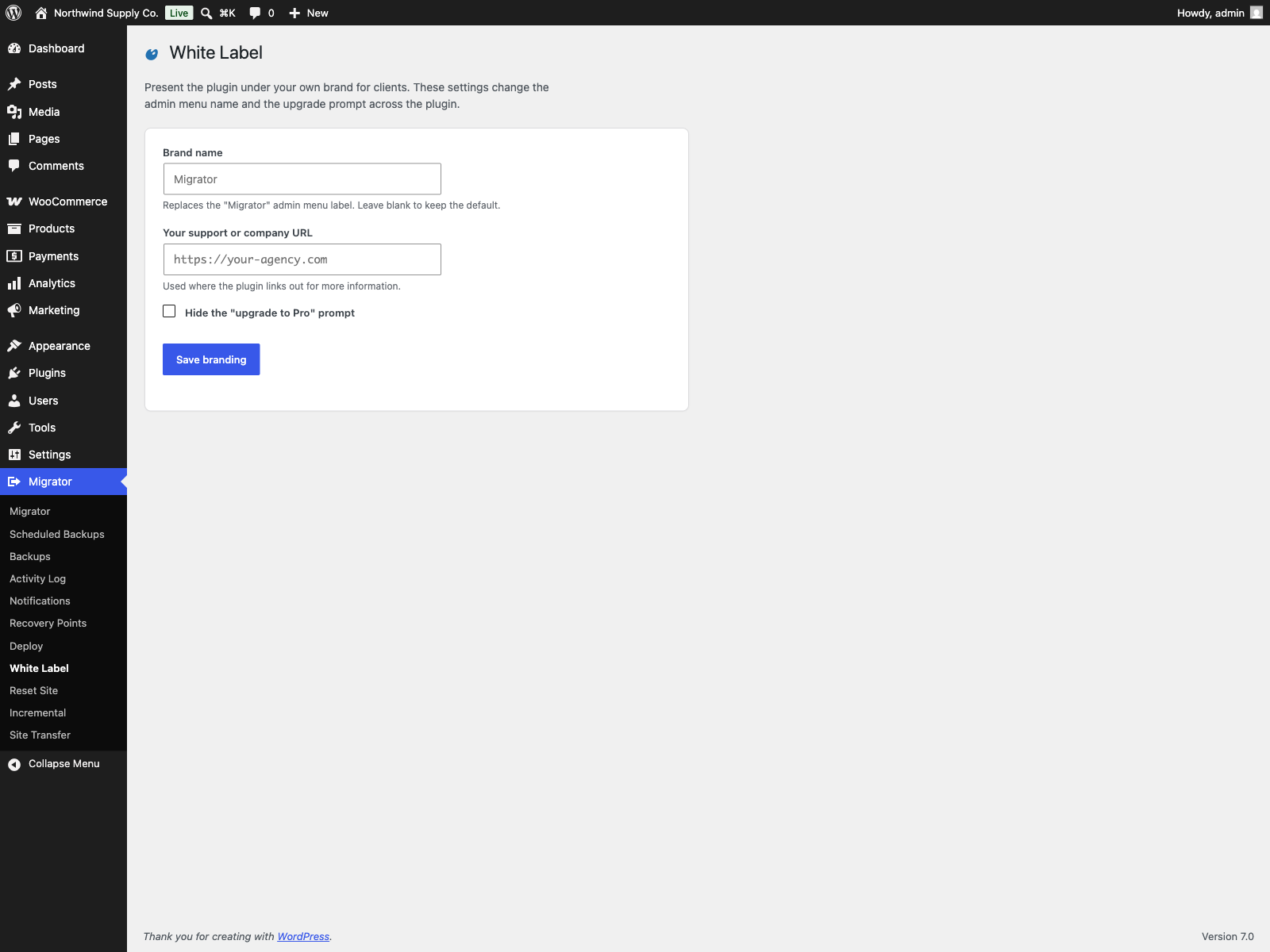
| White label | - | Yes |